
'%3e%3cg%20id='Group_17091'%20data-name='Group%2017091'%20transform='translate(53%20758)'%3e%3cpath%20id='Path_178899'%20data-name='Path%20178899'%20d='M51.713,62.718h-15.3a.7.7,0,0,1-.584-.328C33.8,59.247,33.65,53.2,33.638,52.3q0-.053,0-.106a.73.73,0,0,1,.705-.75h0a.729.729,0,0,1,.707.747c0,.005,0,.049,0,.128a3.749,3.749,0,1,0,7.489-.125.729.729,0,0,1,.707-.75h1.624a.729.729,0,0,1,.707.75,3.749,3.749,0,1,0,7.489.119c0-.075,0-.117,0-.122a.729.729,0,0,1,.707-.747h0a.73.73,0,0,1,.705.75c0,.036,0,.071,0,.106-.012.9-.167,6.943-2.186,10.086a.7.7,0,0,1-.584.328Zm0,0'%20transform='translate(-32.06%20-49.036)'%20fill='%23fff780'/%3e%3cpath%20id='Path_178900'%20data-name='Path%20178900'%20d='M265.721,51.449h0a.729.729,0,0,0-.707.747c0,.005,0,.047,0,.122a3.749,3.749,0,1,1-7.489-.119.729.729,0,0,0-.707-.75H256v11.27h7.652a.7.7,0,0,0,.584-.327c2.019-3.143,2.174-9.189,2.186-10.086,0-.035,0-.071,0-.106a.73.73,0,0,0-.706-.75Zm0,0'%20transform='translate(-244.004%20-49.037)'%20fill='%23ffc02e'/%3e%3cpath%20id='Path_178901'%20data-name='Path%20178901'%20d='M209.565,0a2.284,2.284,0,1,0,2.284,2.284A2.286,2.286,0,0,0,209.565,0Zm0,0'%20transform='translate(-197.565)'%20fill='%23ffc02e'/%3e%3cpath%20id='Path_178902'%20data-name='Path%20178902'%20d='M256,0V4.567A2.284,2.284,0,0,0,256,0Zm0,0'%20transform='translate(-244.004)'%20fill='%23ffa73b'/%3e%3cpath%20id='Path_178903'%20data-name='Path%20178903'%20d='M2.284,37.6a2.284,2.284,0,1,0,2.284,2.284A2.286,2.286,0,0,0,2.284,37.6Zm0,0'%20transform='translate(0%20-35.836)'%20fill='%23ffc02e'/%3e%3cpath%20id='Path_178904'%20data-name='Path%20178904'%20d='M416.85,37.6a2.284,2.284,0,1,0,2.284,2.284A2.286,2.286,0,0,0,416.85,37.6Zm0,0'%20transform='translate(-395.133%20-35.836)'%20fill='%23ffa73b'/%3e%3cpath%20id='Path_178905'%20data-name='Path%20178905'%20d='M93.683,270.213h-15.3a.707.707,0,0,1-.707-.707V267.4H94.39v2.108A.707.707,0,0,1,93.683,270.213Zm0,0'%20transform='translate(-74.031%20-254.213)'%20fill='%23ffc02e'/%3e%3cpath%20id='Path_178906'%20data-name='Path%20178906'%20d='M256,270.213h7.652a.707.707,0,0,0,.707-.707V267.4H256Zm0,0'%20transform='translate(-244.004%20-254.213)'%20fill='%23ffa73b'/%3e%3c/g%3e%3c/g%3e%3c/svg%3e) Upgrade Now
Upgrade Now New: AI Music Generator — create songs from lyrics →
AI Prompt Guide
Learn how to craft effective prompts for AI video and image generation — from structure and language to pro tips and real examples.
1. What is a prompt in Vismz AI Video Generation?
A prompt is a short text description that tells the AI what kind of video to create. It plays a crucial role in shaping the final result — everything from the subject, motion, and visual style is guided by the prompt you write.
Learning how to craft effective prompts is essential because even small changes in wording can lead to very different outcomes. A clear, well-structured prompt helps Vismz's AI Text to Video and AI Image to Video tools generate videos that match your creative vision and stand out visually.
A Well-Written Prompt Should Include These 4 Dimensions:
| Dimension | Key Elements | Example |
|---|---|---|
| Scene Architecture |
| "A wide-open urban plaza at sunset with long shadows, reflecting glass buildings, and people moving naturally across the scene." |
| Narrative Choreography |
| "Slowly dolly in toward a lone figure standing in the rain, transitioning to an overhead shot as the storm intensifies." |
| Aesthetic Directives |
| "A Ghibli-style village with warm pastel textures, soft edges, and painterly light." |
| Emotive Parameters |
| "A cold, abandoned subway station dimly lit by flickering lights, evoking isolation and unease." |
2. Prompt Language in Vismz AI
For best results, use English, as Vismz AI understands it most effectively.
However, if your first language is not English, feel free to use your native language — Vismz AI can still interpret and process it accurately.
3. Prompt Content Guide
Image to video lets you breathe life into static images by generating animated video clips. The uploaded image acts as the starting frame, and the rest of the animation builds from there based on your prompt.
Formula:
Prompt = Main Subject + Motion or Change + Artistic Style or Medium3.1 Main Subject
The focus of the first frame — the core element or scene the video begins with. It sets the tone and grabs attention.
- Be specific and visual — for example, "a snow-covered cabin" is better than just "a cabin."
- Can include people, animals, landscapes, objects, etc.
"A lone astronaut walking on a rocky alien planet"
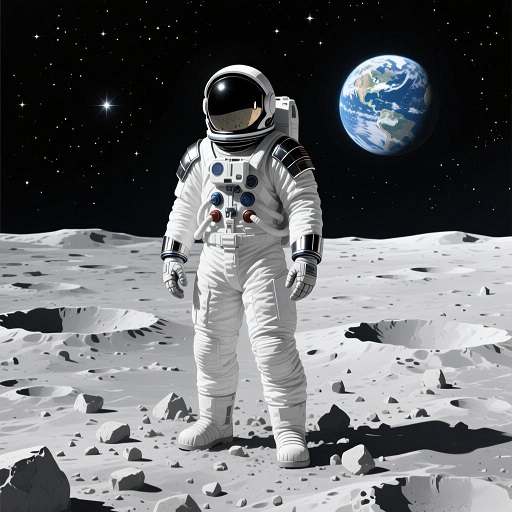 Image Example
3.2 Motion or Change
Describes what happens over time — the animation or transformation from the first frame.
- Use dynamic verbs like: rises, flows, transforms, fades, appears, rotates, etc.
- Think in terms of cinematic movement or environmental change.
"Raindrops hit the ground, and steam rises from the pavement"
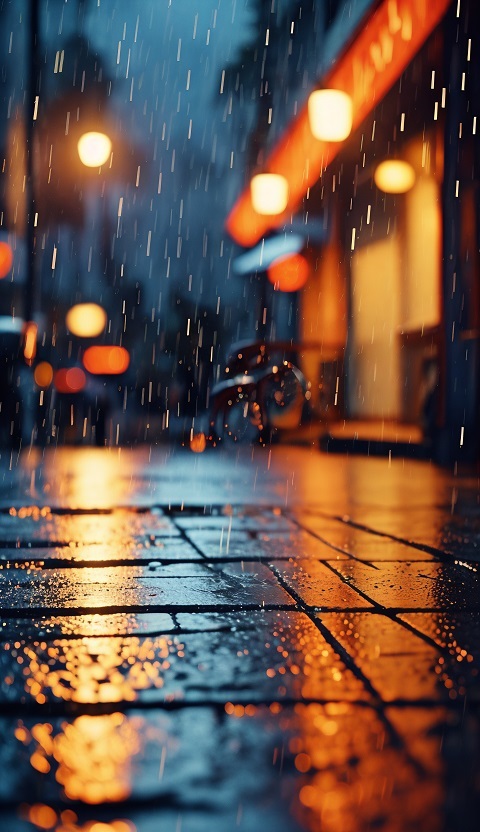 Image Example
3.3 Artistic Style or Medium
Specifies the video's visual style, which shapes the overall mood and feel.
- Use terms like: watercolor, cyberpunk, anime, oil painting, 3D render, etc.
- Choose a style that matches your goal (realistic, dreamy, retro, futuristic, etc.)
"In a surreal, dreamlike 3D render"
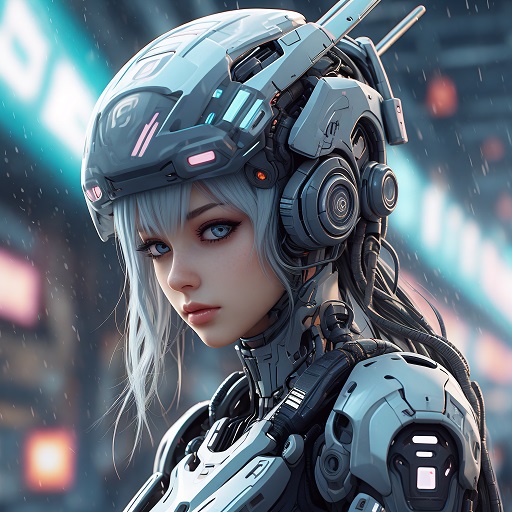 3D Render Style
3.4 Complete Prompt Example
Now let's put it all together — combining the main subject, motion, and artistic style into a complete prompt.
"A lone astronaut standing on a rocky alien planet. Slowly floats upward into the starry sky, with dust and rocks lifting around them. Rendered in a cinematic sci-fi 3D style."
Original Image4. Summary
Creating prompts for Vismz is all about using clear, descriptive natural language while following the prompt structures outlined above. With just a few well-crafted words, you can transform static images into dynamic, expressive video content.
By understanding and applying these core principles, you'll be able to:
- Write more effective prompts
- Streamline your AI video creation process
- Unlock a smoother, more creatively rewarding experience with Vismz
Ready to put these tips into practice? Try them with:

